

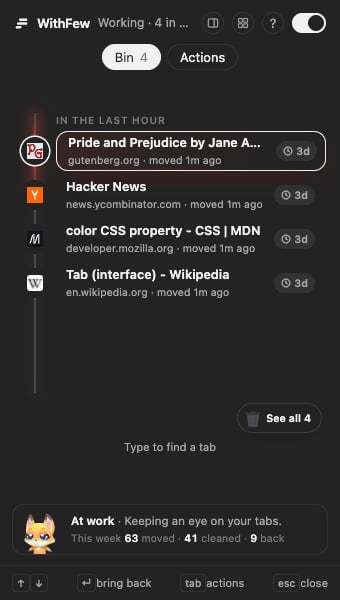
What Few does
Moves old tabs to Bin
A tab you haven’t used for 3 hours joins Bin, a collapsed grey group in
your own tab strip. Open one and stay on it, and it comes back out.
Cleans up later
Anything left in Bin for five days is closed. You can change both timings.
Leaves the right things alone
Pinned tabs, the tab you’re looking at and sites you protect are never
touched. Groups you made are left alone unless you hand them over.
Works your way
Start with the recommended cleanup, or build your own rules in the editor.
Shows the whole window
Few’s panel keeps every group, tab and Bin beside the page. Drag tabs
between groups, and bring anything back from Bin in one click.
Learns from you
Move a tab into one of Few’s groups and it files that site there from then
on, on your device.
What Few is not
Few is not an AI assistant, and it does not read the pages you visit. It sorts tabs. Your tabs, your Bin and your protected sites stay on your own device. Few works out what each tab is — for grouping, how long it waits in Bin, and keeping clear of private pages — on your device, and nothing about your tabs leaves your browser. The only thing Few ever sends is a sentence you type to draft a rule, when you ask it to. Privacy has it in full.Get started
Install Few and see what it does in the first day.