Duplicate killer: close duplicate tabs in Chrome automatically
Closes a tab the moment the same page is already open, and does nothing else.
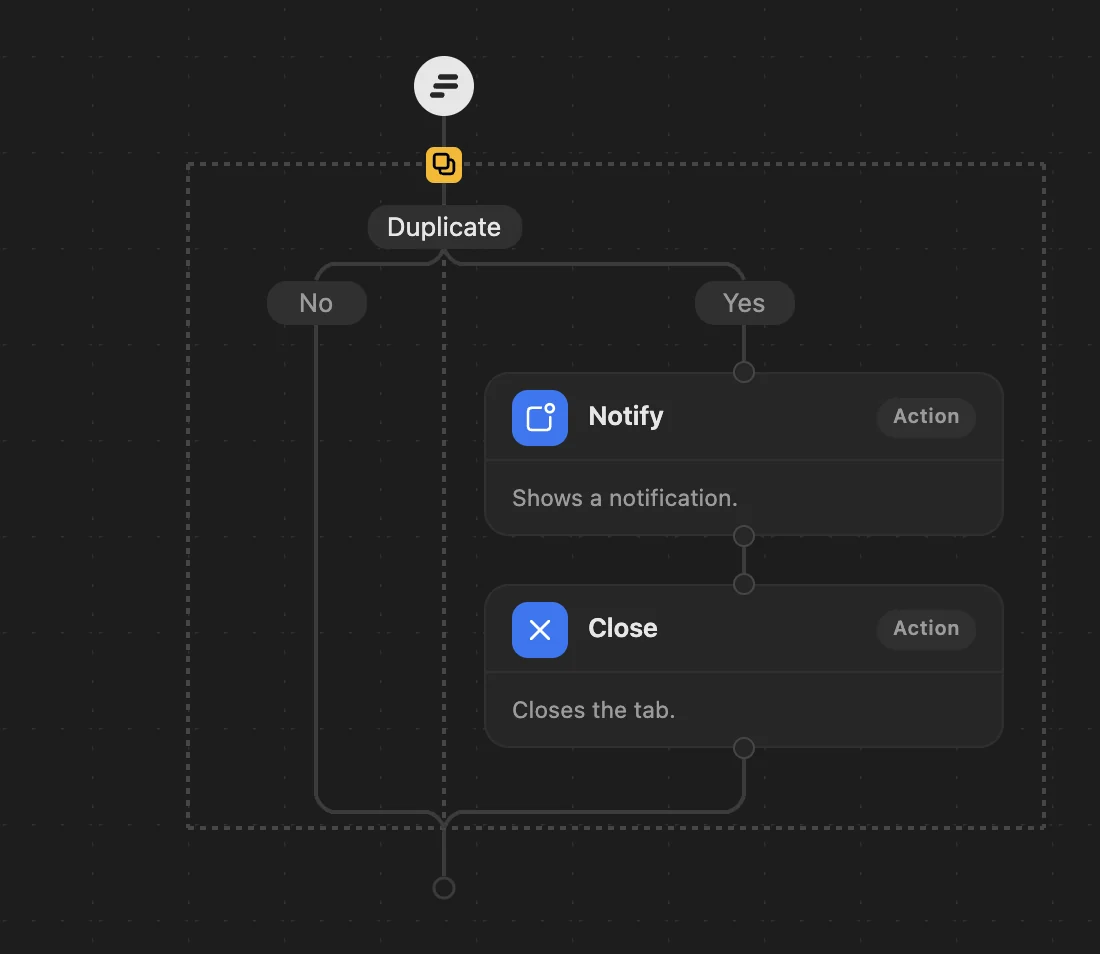
The steps: Duplicate → Notify → Close.
Who it's for
- People who open the same page again and again.
- Anyone who wants only duplicates handled.
What happens
- When a tab shows the same address as a tab you opened earlier, the newer one is closed. The first copy stays.
- A notification says so.
- Nothing else is moved or closed.
Always
- The tab you are on is never moved or closed.
- Pinned tabs and sites you protect are never touched.
Good to know
- A duplicate is closed even if it is in a group of yours or playing sound.
- It replaces the cleanup. To close duplicates and keep the cleanup, see the guide to closing duplicate tabs.
How to use it
- Download Duplicate killer: a small workflow file.
- Open Few's editor (click Few in Chrome's toolbar, then Rules), choose Import and pick the file.
- Save. The steps replace your current workflow; your protected sites and grouping stay as they are. Every step can be changed afterwards.