Search sweeper: clear old search result tabs after 30 minutes
Search results go to Bin after 30 minutes; everything else follows the default cleanup.
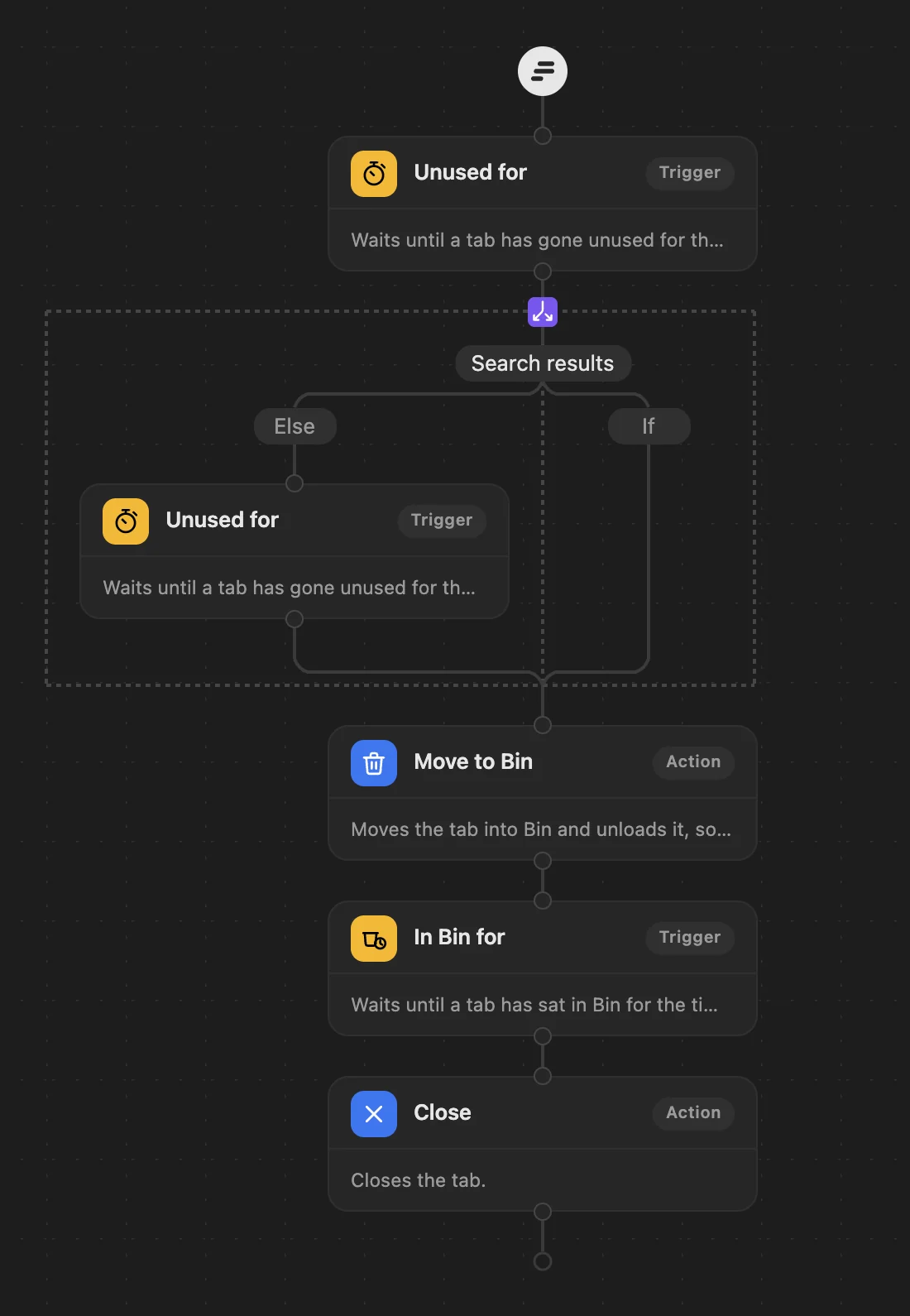
The steps: Unused for 30 minutes → search results go now, the rest wait until unused for 3 hours → Move to Bin → In Bin for 5 days → Close.
Who it's for
- People who leave search results open.
- Anyone searching a lot in a day.
What happens
- Search result tabs you have not used for 30 minutes move into Bin.
- Every other tab moves into Bin after 3 hours unused.
- After 5 days in Bin, tabs close, with Undo.
Always
- The tab you are on is never moved or closed.
- Pinned tabs and sites you protect are never touched.
- Tabs in groups you made yourself and tabs playing sound stay where they are.
Good to know
- With grouping on, results you opened from a search also stay together in their own group while you use them.
How to use it
- Download Search sweeper: a small workflow file.
- Open Few's editor (click Few in Chrome's toolbar, then Rules), choose Import and pick the file.
- Save. The steps replace your current workflow; your protected sites and grouping stay as they are. Every step can be changed afterwards.