How to get Arc's auto-archive in Chrome
28 September 2026 · 4 min read
Arc changed how a lot of people think about tabs. Its best idea wasn't the sidebar or the spaces. It was that tabs you stopped using quietly archived themselves after a while. You never had to close anything, and your tab list never became a graveyard.
With Arc no longer getting new features, many people are moving back to Chrome, and the first thing they notice is that Chrome does none of this. Tabs just pile up. You can get most of the way back. Here's the setup.
1. Turn on Memory Saver
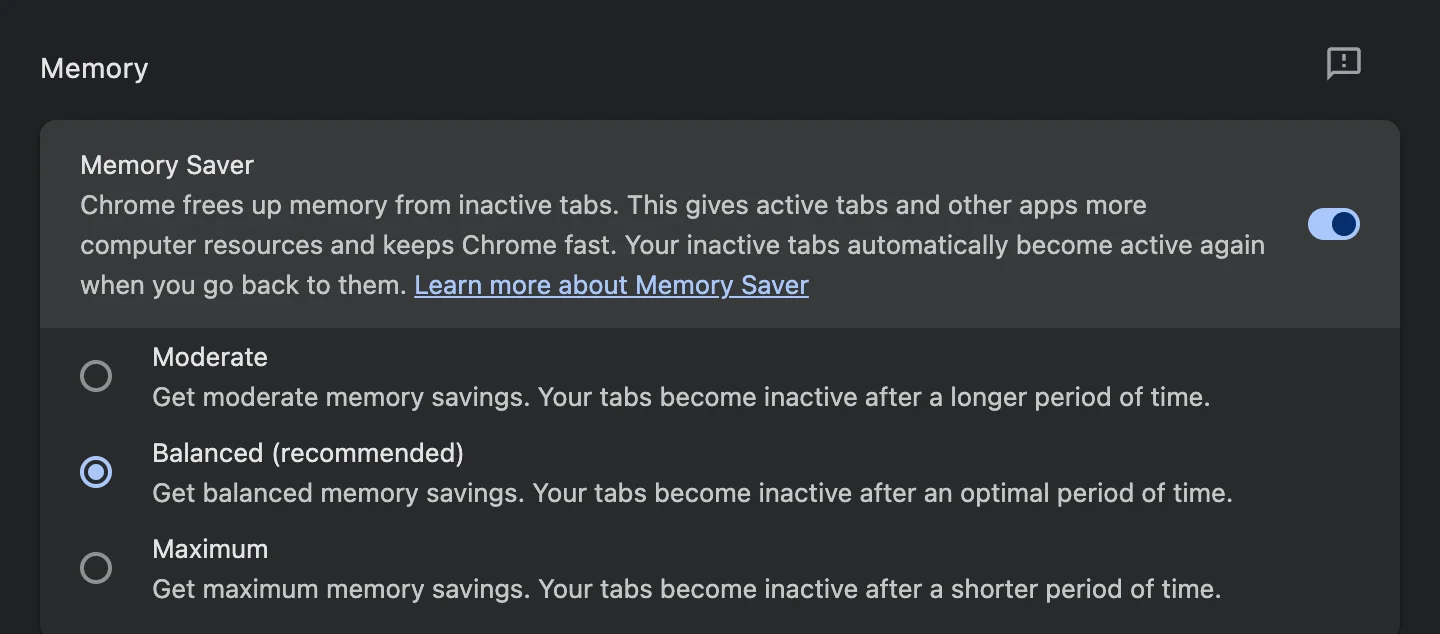
Settings → Performance → Memory Saver. Chrome unloads tabs you haven't used for a while, so they stop using memory. They still sit in your tab strip, though: this fixes the slowness, not the clutter. If a site must stay live (a call, a dashboard), add it to the list of sites Chrome always keeps active.
2. Use tab groups for your spaces
Arc's spaces map reasonably well onto Chrome's tab groups. Right-click a tab, choose Add tab to new group, then name it and pick a colour. Click a group's name to collapse it when you're not using it. It's manual, but it's there.
3. Pin what Arc kept in Favorites
Pinned tabs stay small, stay put and survive restarts. Right-click a tab and choose Pin. Mail, calendar and chat belong there.
4. Get auto-archive back with an extension
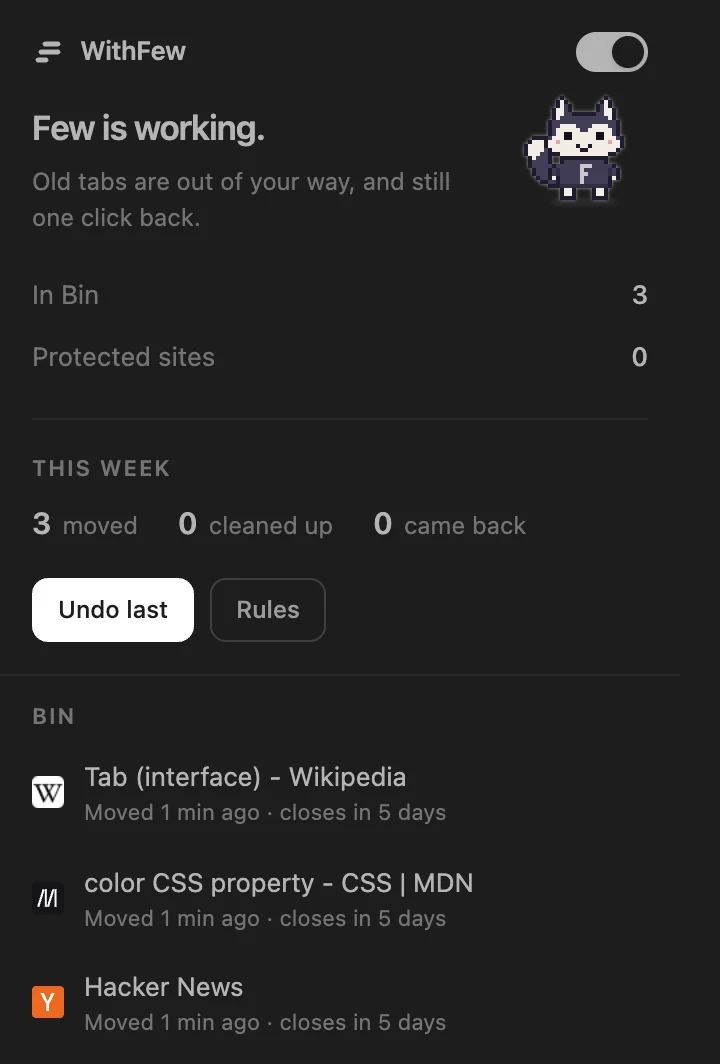
This is the part Chrome doesn't do. WithFew (our extension, built because we missed exactly this) moves tabs you haven't used for a few hours into a collapsed group called Bin, in your own tab strip. They're unloaded and out of the way. Open one and stay on it, and it comes back out. If you never do, it's closed after five days, with Undo: much like Arc's archive.

It also does the grouping for you: tabs you opened from the same search stay together, then tabs are grouped by kind of site. That's close to Arc's automatic tidiness without building spaces by hand.
A few differences from Arc worth knowing:
- The timings are yours: when tabs move to Bin, and how long they stay there.
- Pinned tabs, the tab you're on and the sites you protect are never touched.
- Everything happens on your device. Nothing about your tabs is sent anywhere.
- It's free for 7 days, then $5 a month.
5. Replace the command bar
Arc's command bar was great. In Chrome, Ctrl/Cmd+Shift+A opens tab search, which finds any open tab by name. With fewer tabs open, it's faster too.