How to close tabs automatically in Chrome
28 September 2026 · 4 min read
Chrome has no setting that closes tabs you've stopped using. It can unload them to save memory, and it has quick ways to close tabs by hand, but deciding which tabs go is left to you. Here's what's built in, and how to have it happen automatically.
What Chrome can do on its own
- Close tabs to the right, or all other tabs. Right-click a tab and choose Close tabs to the right or Close other tabs. Quick, but all or nothing.
- Close a whole group. Right-click a tab group's name and choose Close group.
- Bring back what you closed. Ctrl/Cmd+Shift+T reopens the last closed tab (press it again for the one before). Your history (Ctrl+H on Windows, Cmd+Y on a Mac) has the rest.
- Unload, not close: Memory Saver. Settings → Performance → Memory Saver frees the memory of tabs you haven't used. They stay in your tab strip and reload when you click them. Good for speed; it doesn't reduce the number of tabs.
Why closing tabs automatically is hard to trust
The reason people keep 40 tabs open is that closing one feels like a decision: what if I need it later? An extension that simply closes tabs after a timer answers that question for you, and gets it wrong sometimes. The ones worth keeping switched on make closing reversible and give you a grace period.
Whatever you use, look for:
- a warning step before anything closes, so a tab you still need can be caught in time;
- Undo after it closes;
- protection for pinned tabs, the tab you're on, tabs playing audio and sites you choose;
- timings you can change.
How WithFew closes tabs automatically
WithFew (our extension) closes tabs in two steps, so nothing disappears without a chance to catch it:
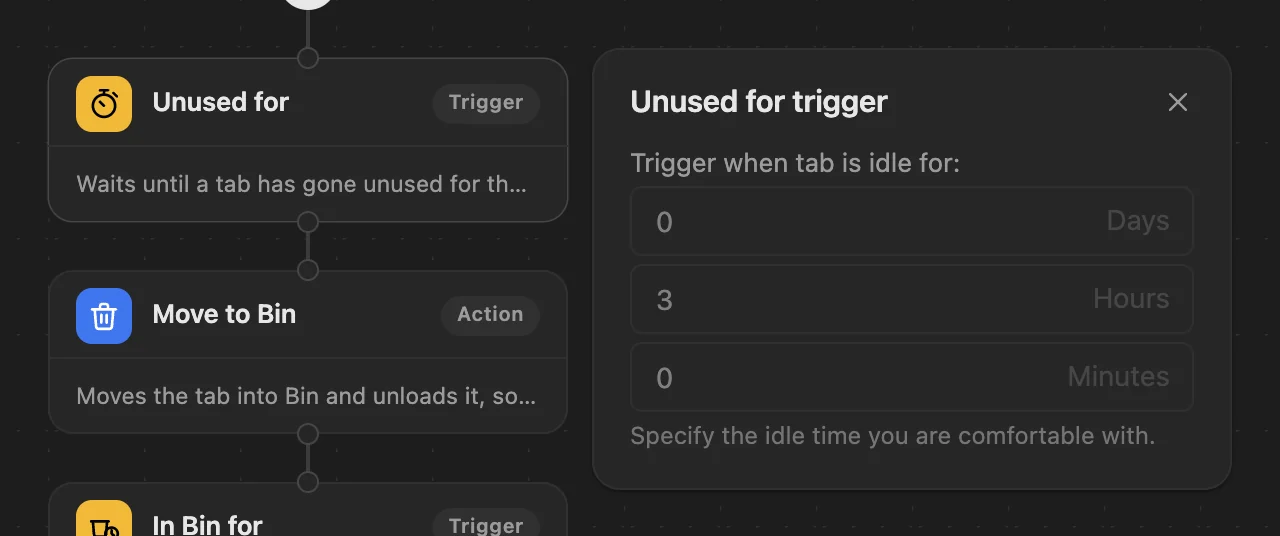
- Unused for 3 hours → Bin. The tab moves into Bin, a collapsed tab group in your own tab strip, and is unloaded so it stops using memory. Open it and stay on it for a moment, and it comes back out.
- In Bin for 5 days → closed. One notification tells you what closed, with Undo.

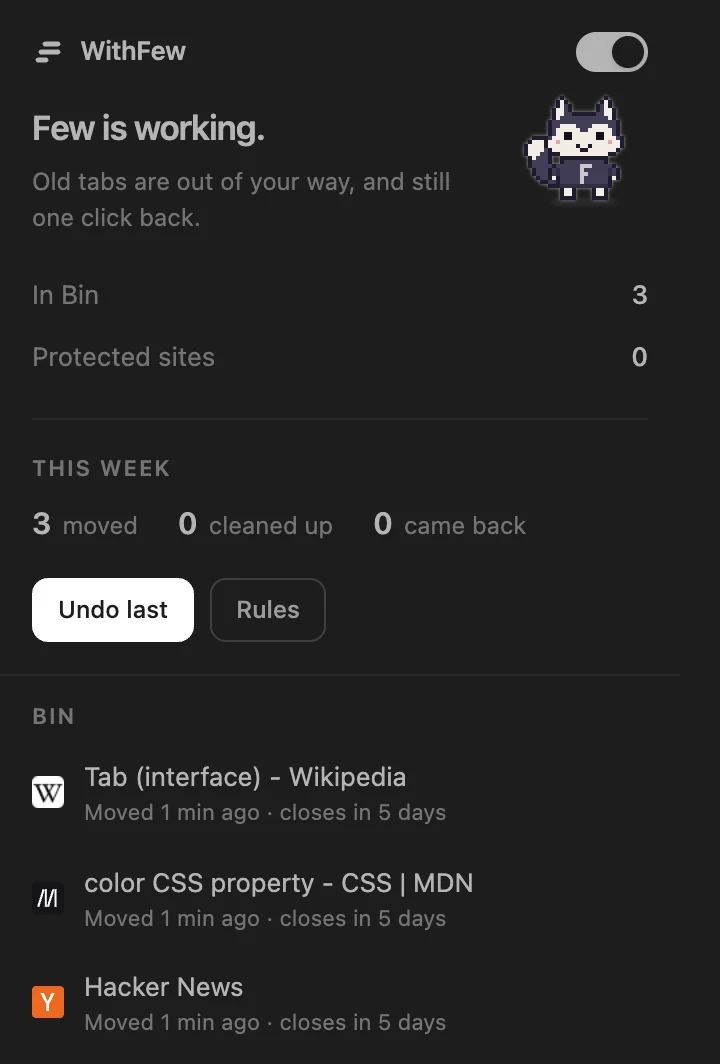
Both times are yours to change. Pinned tabs, the tab you're on, tabs playing sound, sites you protect and the groups you made yourself are never touched, and pages that look private, like banking, are never closed from Bin.
It works out what each tab is on your device, and nothing about your tabs is sent anywhere. It's free for 7 days, then $5 a month.