Set up tab rules by describing them in a sentence
28 September 2026 · 4 min read
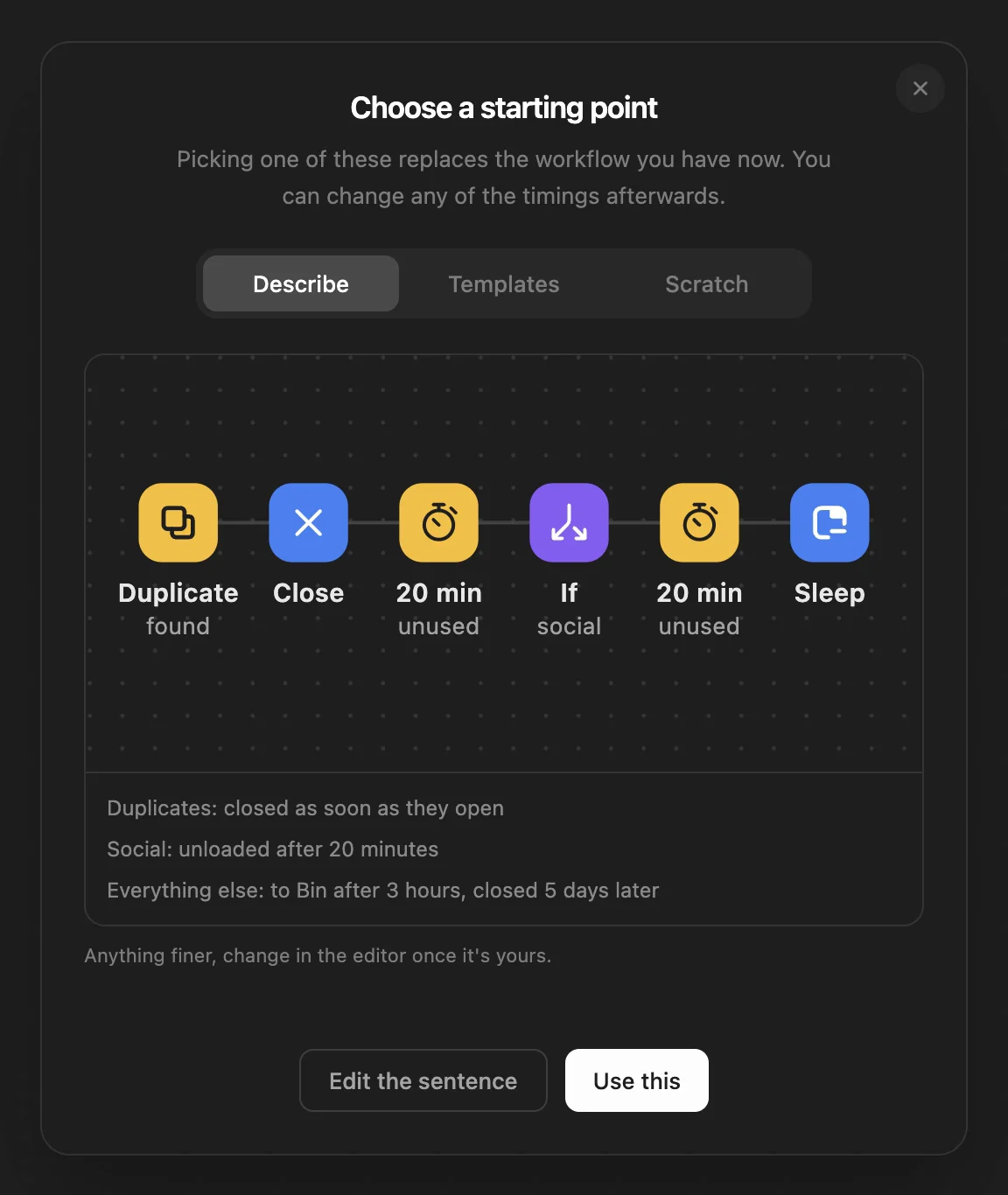
WithFew (our extension) runs your tabs through a workflow: steps like "unused for 3 hours", "move to Bin", "sleep" and "close", which you can arrange in its editor. You don't have to. Say how you want your tabs handled and Few builds the workflow from its own steps, then shows it to you before anything changes.
How to do it
- Click Few in Chrome's toolbar, then Rules.
- Click the templates button at the bottom right of the editor, and choose Describe.
- Type how you work, in up to 300 characters, and press Generate.
- Read what Few built. Use this makes it your workflow; Edit the sentence lets you try again. Your protected sites and grouping settings stay as they are.
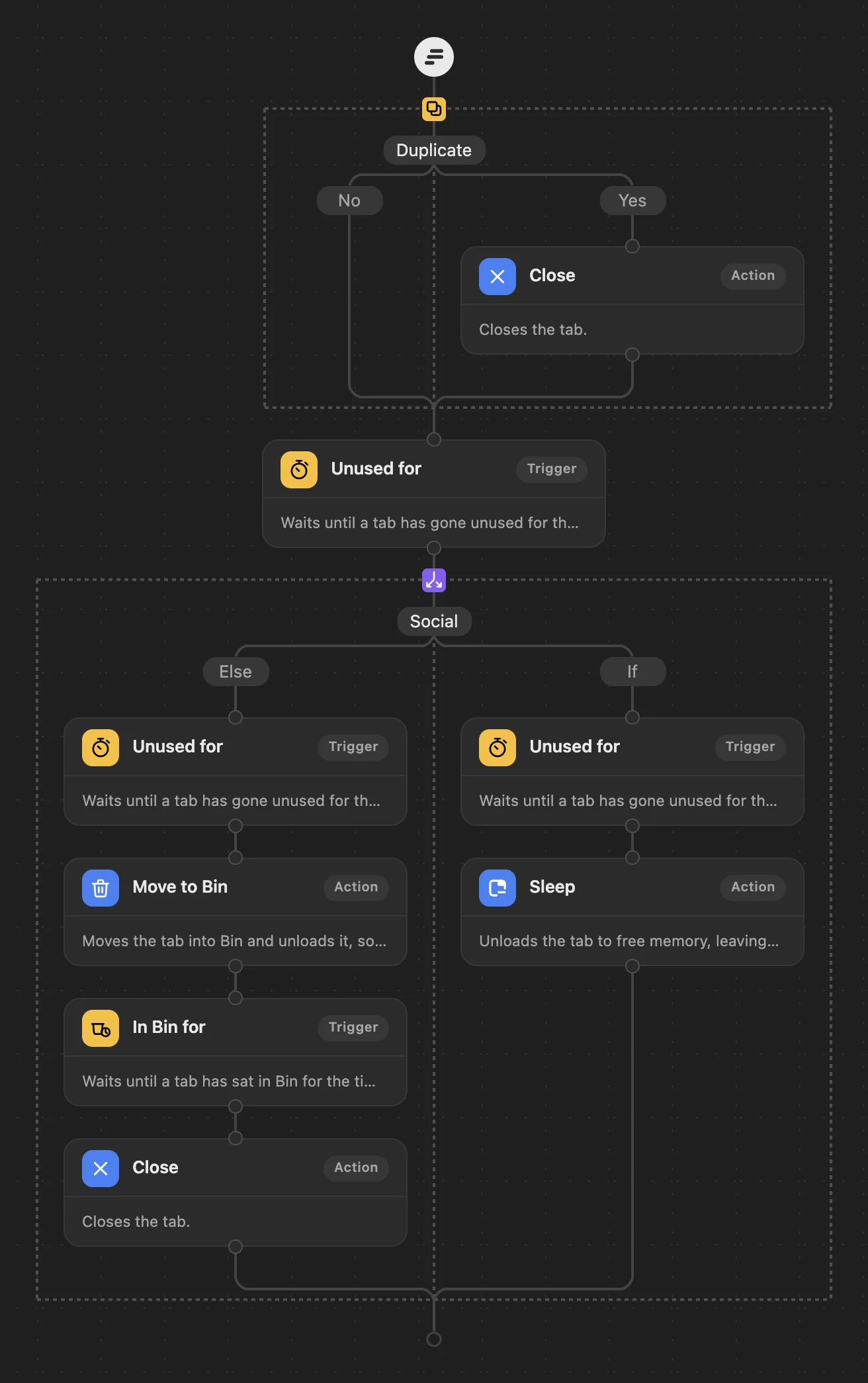
Here is the workflow the sentence above became, in the editor, where every step can still be changed:
Sentences that work
Each of these was typed into Few several times, and this is what it built each time, in its own words:
| You type | Few builds |
|---|---|
| Close shopping tabs after an hour. | Shopping: closed after an hour. Everything else: to Bin after 3 hours, closed 5 days later (the default). |
| Put social media and video sites to sleep after 20 minutes. | Social, Video: unloaded after 20 minutes. Everything else: to Bin after 3 hours, closed 5 days later (the default). |
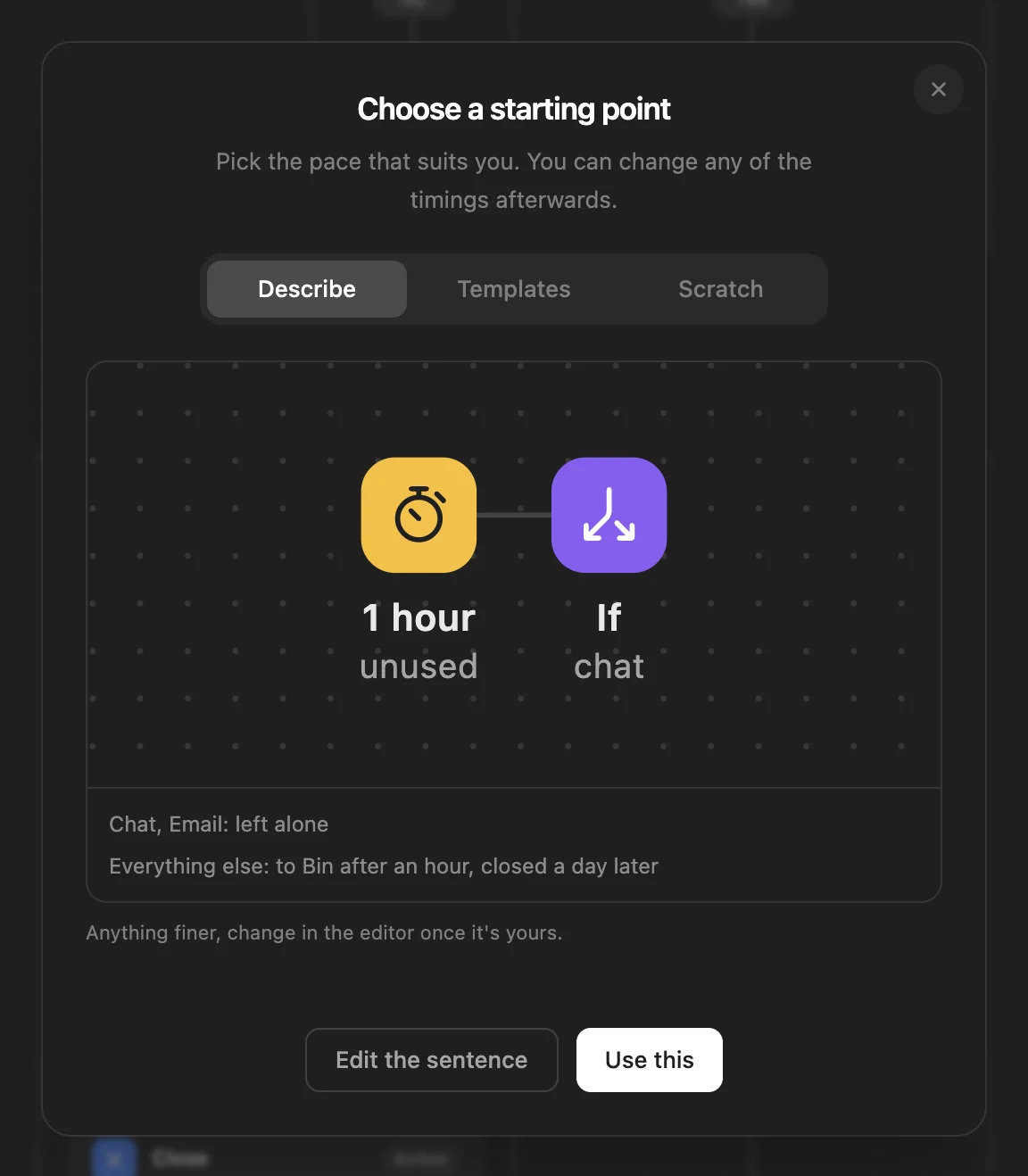
| Leave my email and chat tabs alone; everything else goes to Bin after an hour and closes after a day. | Chat, Email: left alone. Everything else: to Bin after an hour, closed a day later. |
| Never close anything, just move unused tabs to Bin after a day. | Everything else: to Bin after a day, never closed. |
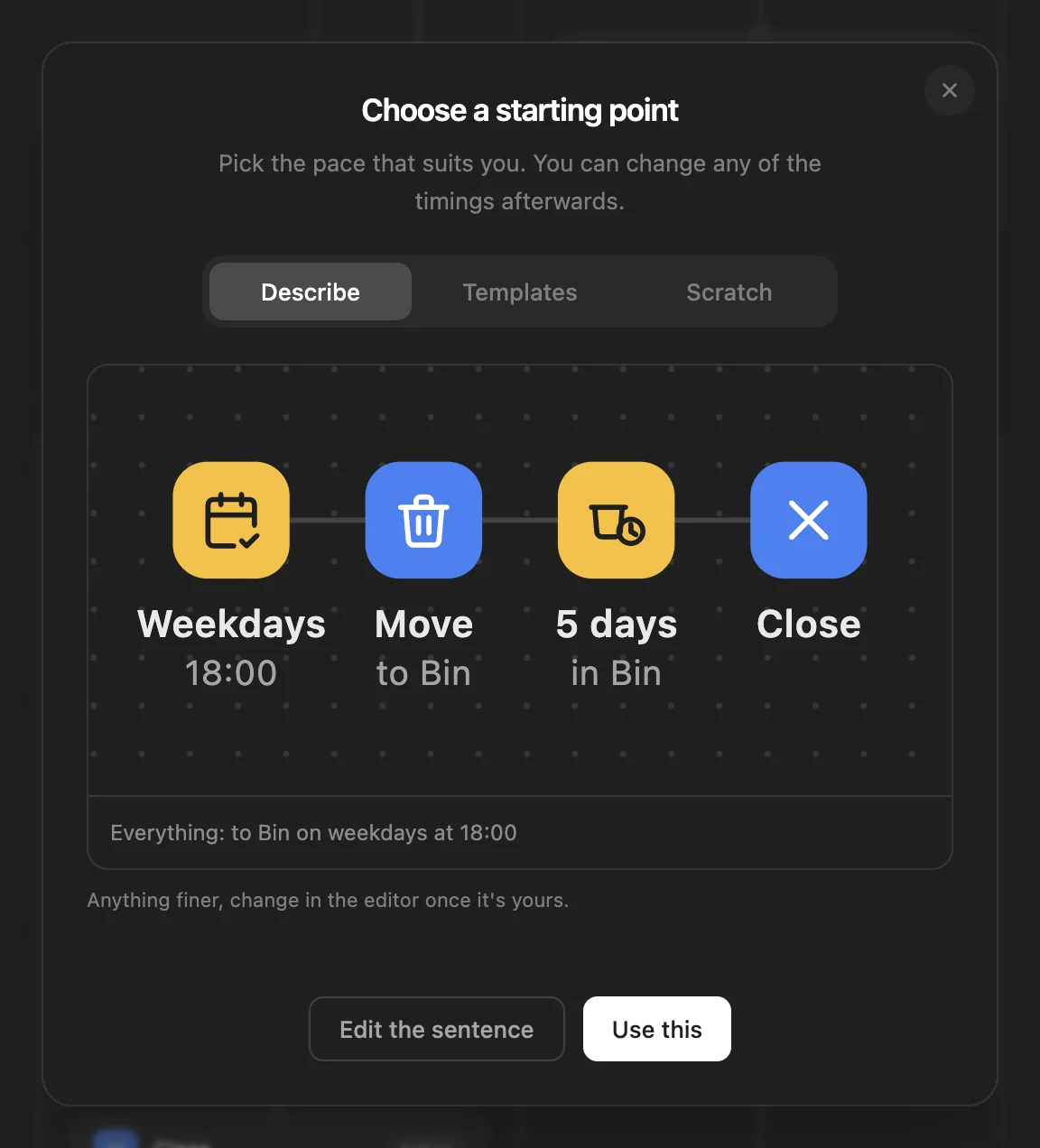
| Tidy up my tabs at 6pm on weekdays. | Everything: to Bin on weekdays at 18:00. |
| Close duplicate tabs. | Duplicates: closed as soon as they open. Everything else: to Bin after 3 hours, closed 5 days later (the default). |
What it understands
- Kinds of site: docs, code, issues, AI, files, chat, email, social, video, shopping, news, research, tools and finance. Few tells them apart on your device, from each tab's address and title.
- What to do: leave them alone, put them to sleep, move them to Bin, bookmark them first, or close them.
- How soon: about 20 minutes, an hour, a few hours, a day or a week unused.
- How long Bin keeps tabs: a day, a few days, five days, two weeks, or never closed.
- Duplicates: the same page open twice.
- A tidy at a set time: every day, on weekdays or at weekends, in the morning (09:00), at midday (12:00), in the evening (18:00) or late (21:00). For another time, change the Schedule step afterwards.
Particular sites, and times of day
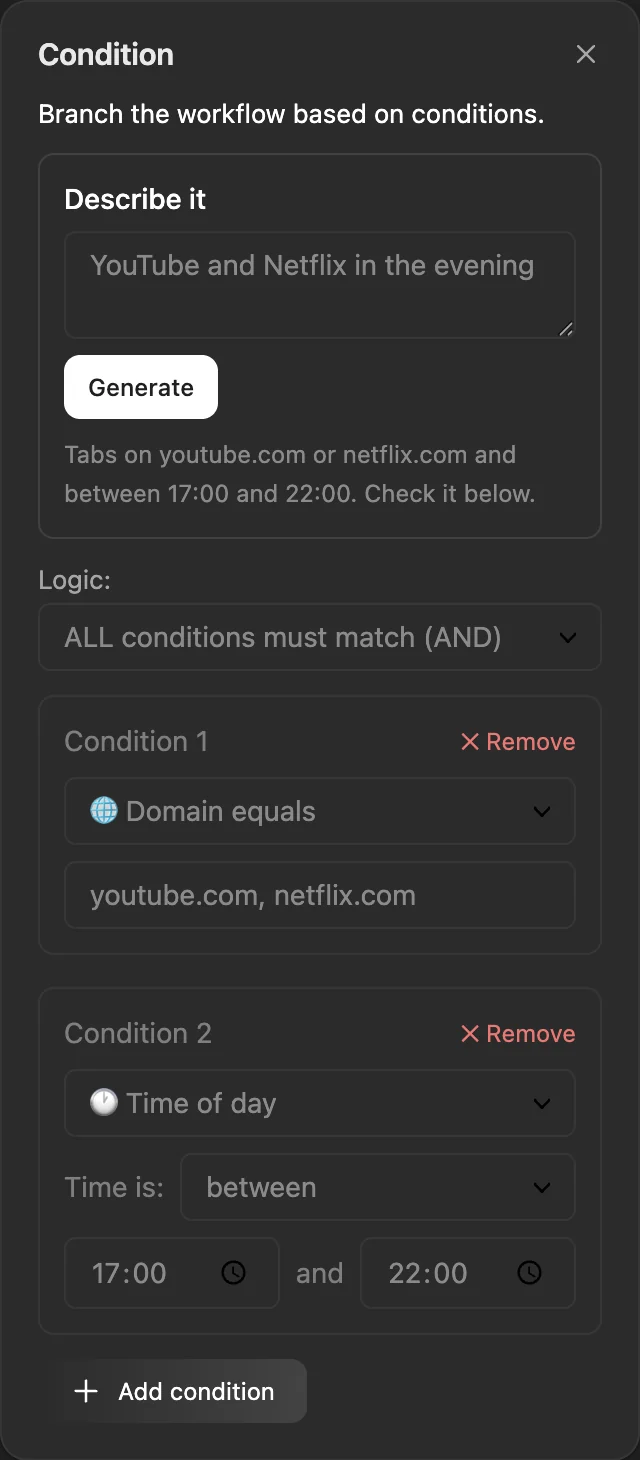
The workflow box works in kinds of site. For particular sites, use the Condition step's own Describe it box: add a Condition in the editor, click it, and describe the tabs it's for. Site names and words in quotes are read on your device; times, days and tab states come from the sentence too.
When it isn't sure
Few only builds what it's confident the sentence asked for. Anything it isn't sure of is left out, and where it falls back on the usual cleanup the summary says "(the default)". Long sentences with several parts are where a part is most likely to be missed: if a line you expected isn't there, describe that part on its own, or add it in the editor.
WithFew is free for 7 days, then $5 a month.