How to open the same tabs every morning in Chrome
28 September 2026 · 4 min read
When Chrome starts: built in
Settings → On startup → Open a specific page or set of pages, then add your pages. They open every time Chrome starts. You can also keep them in one bookmark folder, right-click it and choose Open all.
At a set time: a Few schedule
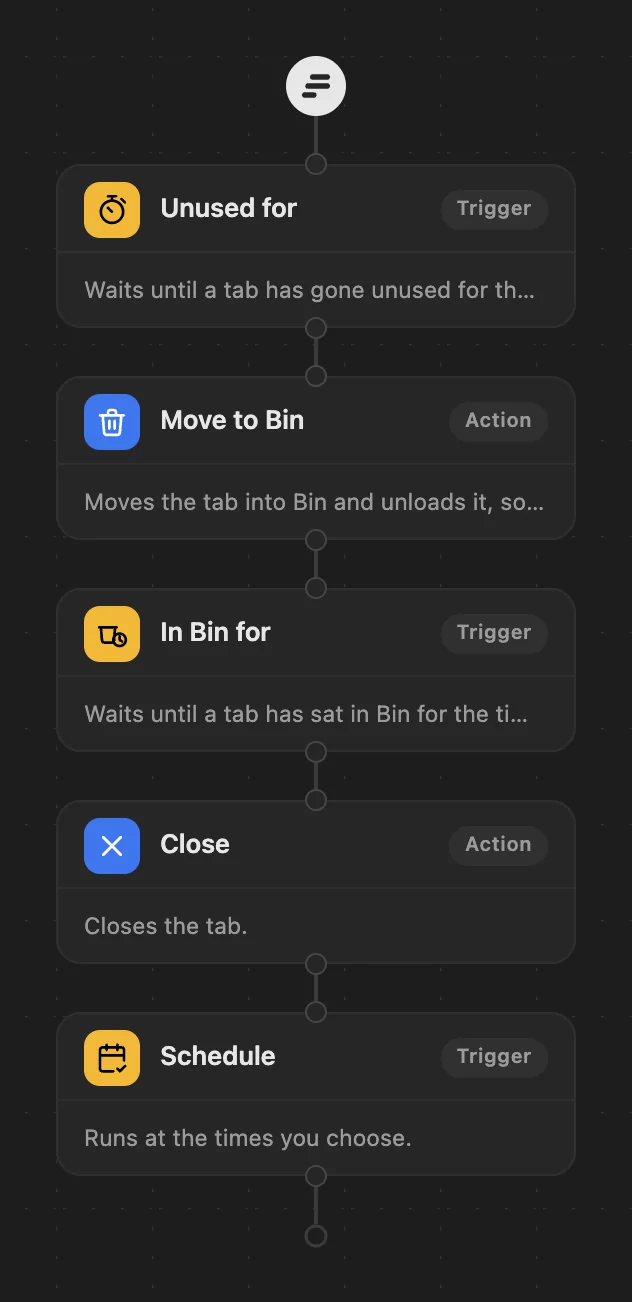
If Chrome stays open for days, "on startup" rarely happens. WithFew (our extension) can open them at a time instead. In Few's editor (Rules in the popup):
- Drag a Schedule to the end of your workflow, after your cleanup steps.
- Choose Weekly on specific days, tick Monday to Friday, and set 09:00.
- Under URLs to open, add your pages: mail, calendar, your team's board.
- Under URL Patterns, add a filter that matches those same sites (for example "contains"
mail.google.com). This keeps the schedule to the pages it opens, so your other tabs carry on with the cleanup as usual. - Save.
Good to know
- Chrome has to be open at 09:00 for the pages to open that day: the schedule runs in that minute.
- The pages open in the background, next to your other tabs.
- They're ordinary tabs afterwards: unused for 3 hours, they move to Bin like any other. Pin the ones you always keep.
WithFew is free for 7 days, then $5 a month.