How to close old Google search tabs automatically
28 September 2026 · 3 min read
Every search leaves a tab behind, and most are finished with the moment you click a result. Chrome doesn't close them for you.
By hand
Search in the same tab instead of opening a new one, and close the results tab once you've opened what you need. Right-click a tab and choose Close tabs to the right to clear a run of them.
Automatically
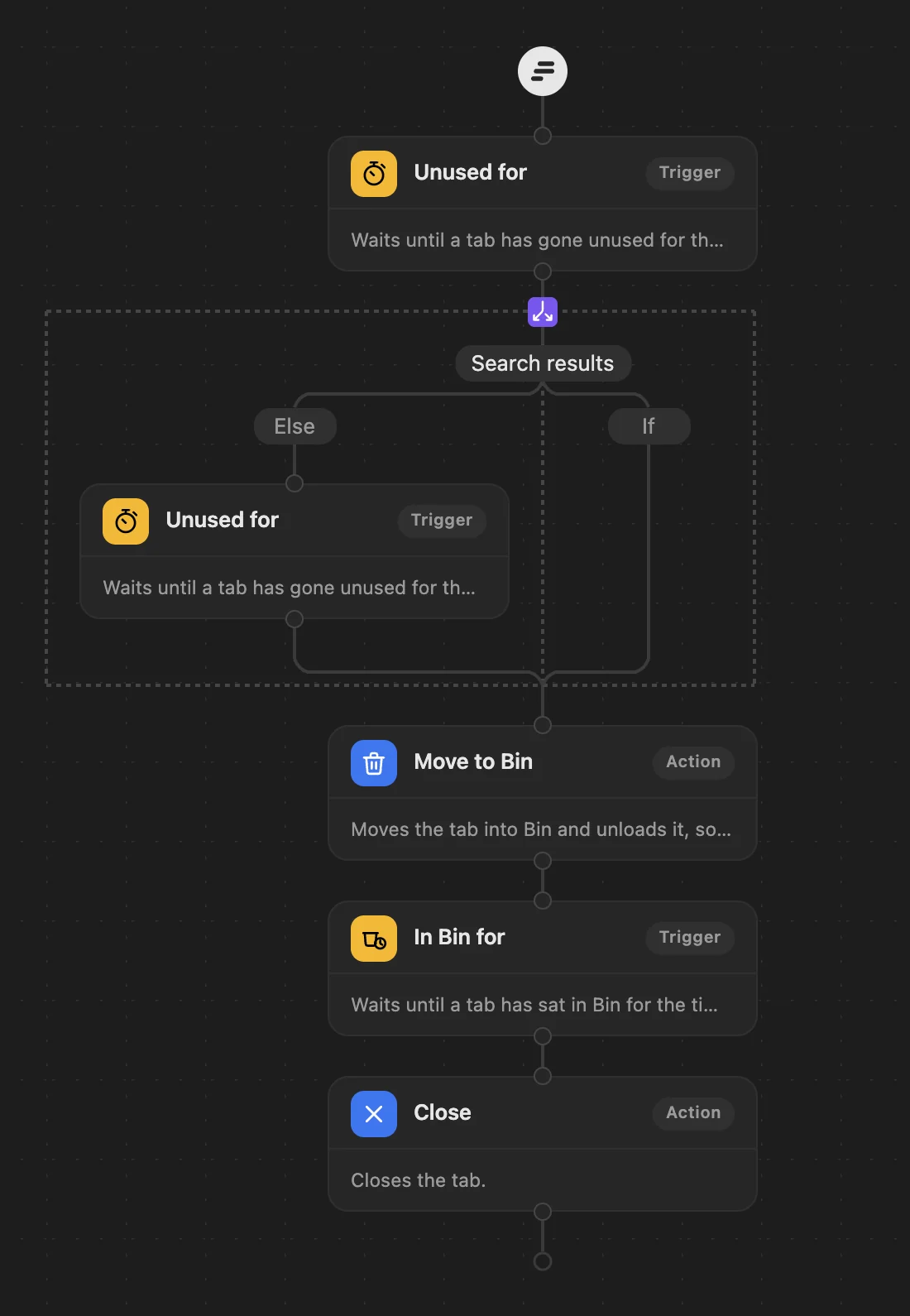
WithFew (our extension) already treats search results as throwaway: they leave its Bin sooner than other tabs. For a tighter rule, the ready-made Search sweeper workflow moves search results from Google, Bing, DuckDuckGo, Brave and Yahoo into Bin after 30 minutes unused, while every other tab gets the usual 3 hours.
With grouping on (it is by default), the pages you opened from a search are grouped together, named after it, while you use them. WithFew is free for 7 days, then $5 a month.